



























































































How to Amend a Company Name on a KRA PIN
After obtaining the official Certificate of Change of Name from the Business Registration Service (BRS), you are required to update your company details with the Kenya Revenue Authority (KRA). In this guide you will learn the process to follow to ensure your company's records are accurately updated with the KRA after a name change.
1. Log in to the KRA iTax portal
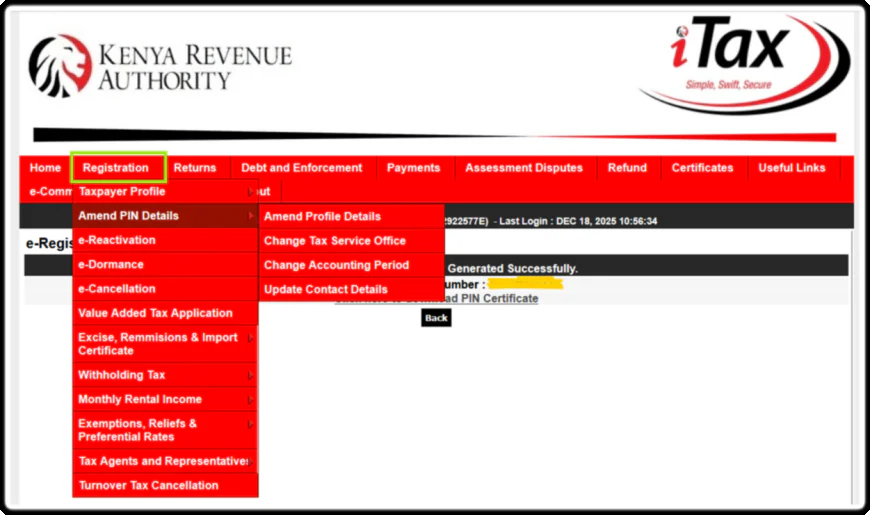
Before starting the amendment process, log in to the KRA iTax portal with your company PIN and password.
Go to "Registration," select "Amend PIN Details," and choose the section to update the company's new legal name.
2. Select Selections to Amend
Tick the sections that need updating. Common amendment areas for non-individuals tax PIN are:
- Basic Information (legal company name, address, contacts, etc.)
- Directors/Associates (when ownership or leadership changes)
- Tax Obligations (e.g., VAT, PAYE, Turnover Tax, Corporation Tax)
3. Required Supporting Documents
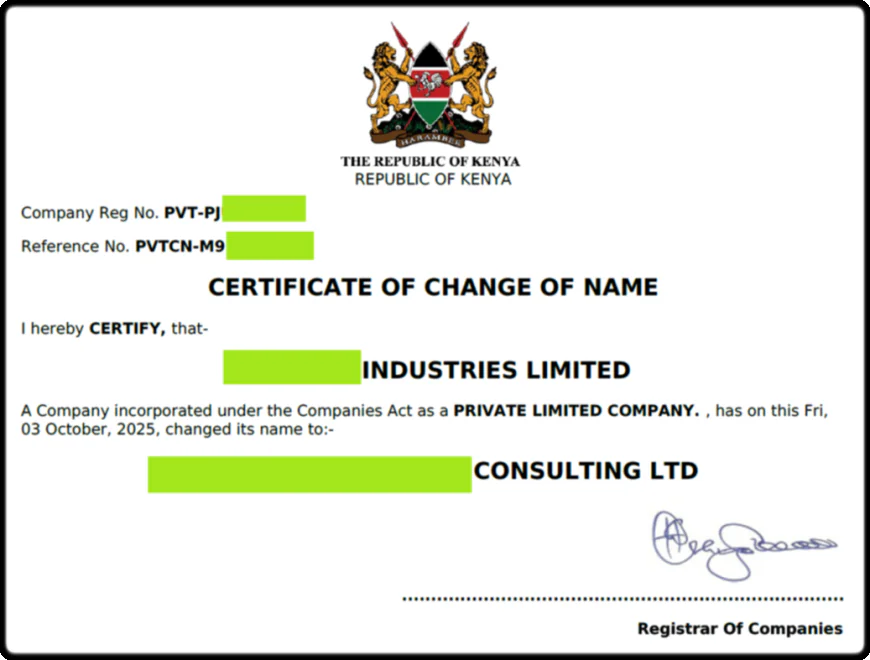
You are required to upload the required supporting documents on the iTax Portal, which include:
- The new Certificate of Change of Name from the Registrar of Companies.
- The Latest CR12 certificate (list of directors).
4. Verification and Approval
After submitting the application, you will need to wait for a KRA officer to review your request.
The name change becomes effective only after it has been approved. Once approval is granted, the new PIN certificate reflecting the updated company name will be send to the email.
5. Reprint Updated PIN Certificate
Once approved you can also log in again to your iTax Portal, click the Registration menu , Reprint PIN Certificate.
Your new updated name will appear on the new certificate.
6. Useful Links
Was this information helpful ?
 Like
0
Like
0
 Dislike
0
Dislike
0
 Love
0
Love
0
 Funny
0
Funny
0
 Angry
0
Angry
0
 Sad
0
Sad
0
 Wow
0
Wow
0